Monitor Stand
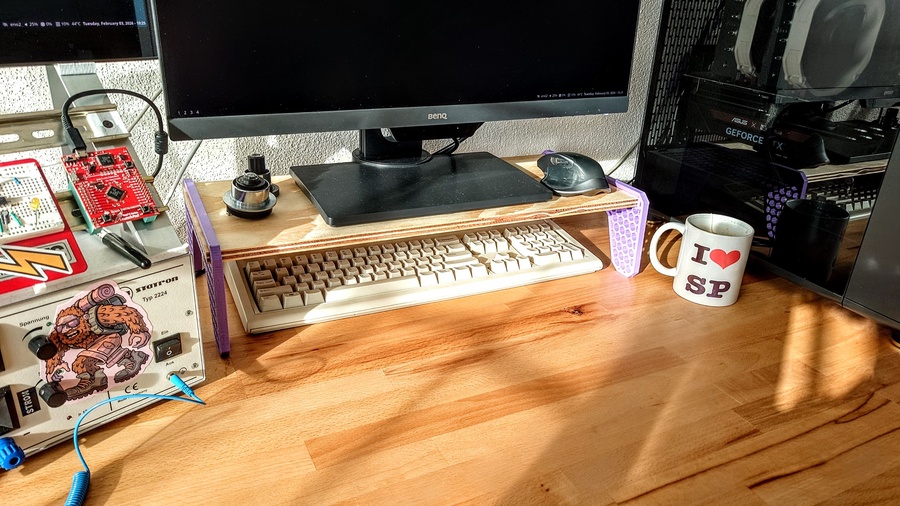
More space when keyboard is not being used just feels nice.
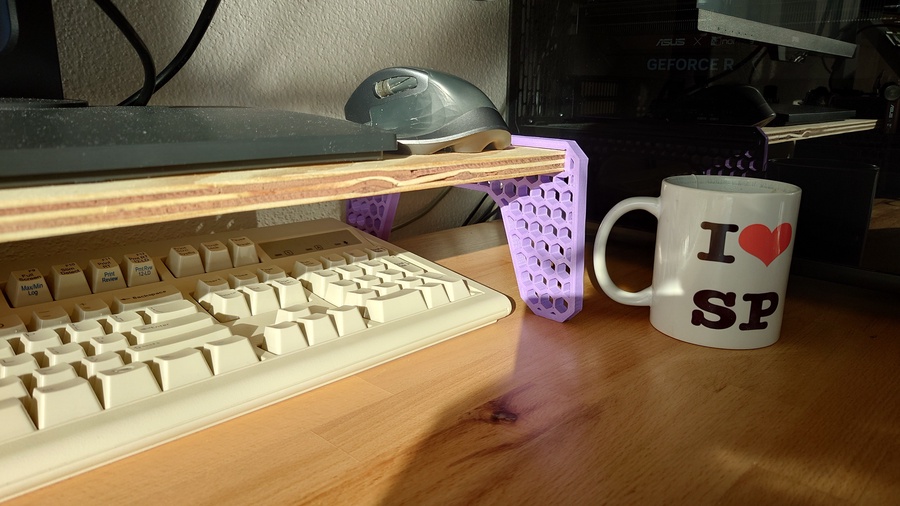
That’s my takeaway after finding a $2 leftover plywood plank at my local hardware store and adding a pair of 3D-printed side supports.
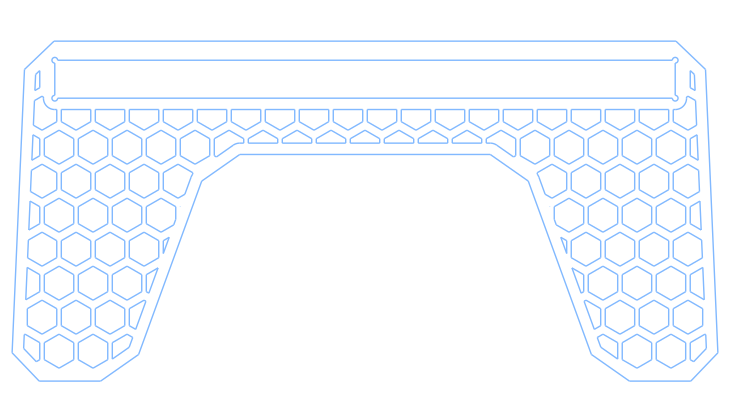
These side supports were created using in cadquery. Nice and simple.
Because the design is fully parametric, getting a snug fit for the plank is effortless, and no hardware is needed. 😎
Here’s the code:
#!/usr/bin/env python3

import cadquery as cq
from cadquery.vis import show

### Wooden plank parameters
plank_width = 219.0        # mm
plank_thick = 13.4         # mm

## 3d printed side support parameters
base_length = 250.0        # mm
support_height = 120.0     # mm
support_thick = 10.0       # mm
taper_angle = 5.0          # degress, the slope on each side of the trapezoid
round_edges = 10.0         # mm, fillet of the outer contour edges
contour_thick = 4.0        # mm, thickness of the solid outer contour
slot_height = 36.0         # mm, distance of plank slot to the origin
relief_holes = 2.0         # mm, diameter of the holes to relief plank slot vertices

## mesh pattern parameters
poly_radius = 6.0          # mm
poly_n = 6                 # int, number of sides of the polygon
spacing = 12.0             # mm, spacing between polygons
x_n = 22                   # int, number of polygons rows (in x)
y_n = 5                    # int, number of polygons collums (in y)

## Creating an A shaped plate (blank)
blank  = (cq.Sketch()
          .trapezoid(base_length,
                     support_height,
                     90-taper_angle/2)
          )

feet_cutout = (cq.Sketch()
               .trapezoid(base_length/1.5,
                          support_height/1.5,
                          90-taper_angle*4)
               .moved(0, -support_height/6)
               )

Aplate = (blank - feet_cutout).vertices().chamfer(round_edges)
Aplate_offset = Aplate.copy().wires().offset(-contour_thick, mode='r')

## Solid contour around the borders, making the inside of the blank hollow
Ap_extr = cq.Workplane("front").placeSketch(Aplate).extrude(support_thick)
Ap_offset_extr = cq.Workplane("front").placeSketch(Aplate_offset).extrude(support_thick)

borders = Ap_extr - Ap_offset_extr

## Pattern subtraction from an offset of the blank to create a perforated area
## Values here were choosen by trial and error
pattern = (cq.Sketch()
           .rarray(spacing, 2*spacing, x_n, y_n)
           .regularPolygon(poly_radius, poly_n)
           .reset()
           .moved(spacing/2, -spacing)
           .rarray(spacing, 2*spacing, x_n, y_n)
           .regularPolygon(poly_radius, poly_n)
           )

mesh = Aplate_offset.face(pattern, mode='s')

## Creating a slot on the mesh for the wooden plank
plank_slot_sketch  = cq.Sketch().rect(plank_width, plank_thick)
pslot_offset = plank_slot_sketch.copy().wires().offset(contour_thick, mode='r')

mesh_w_slot = mesh.face(pslot_offset.moved(0, slot_height), mode='s')

reliefs = (cq.Sketch()
           .rect(plank_width, plank_thick, mode="c", tag="reliefs")
           .vertices(tag="reliefs")
           .circle(relief_holes/2)
           )

# remainder: the order of operations is important here, slot_contour has to be after mesh_w_slot
slot_contour = pslot_offset.face(plank_slot_sketch, mode='s').face(reliefs, mode='s')

final_mesh = mesh_w_slot.face(slot_contour.moved(0, slot_height), mode='a')

mesh_extrusion = (cq.Workplane("front")
                  .placeSketch(final_mesh)
                  .extrude(support_thick)
                  )

stand = borders + mesh_extrusion

show(stand)
Most of the code is easy to follow, not many obscure lines on this one. Notable techniques are:
- Using the technique I once proposed on the oficial cadquery documentation to create offsets, using .copy() to prevent mutation of the object
Aplate = (blank - feet_cutout).vertices().chamfer(round_edges)
Aplate_offset = Aplate.copy().wires().offset(-contour_thick, mode='r')
- Just like on the plywood brackets, using .face() to add and subtract sketches
mesh = Aplate_offset.face(pattern, mode='s')
- It may be convinient to use the .moved(x,y) method to place the sketch where you need it, just like:
final_mesh = mesh_w_slot.face(slot_contour.moved(0, slot_height), mode='a')
- Also important to remember, that on the sketch API, a tag is needed to use the vertices() method to distribute a shape
reliefs = (cq.Sketch()
           .rect(plank_width, plank_thick, mode="c", tag="reliefs")
           .vertices(tag="reliefs")
           .circle(relief_holes/2)
           )
That’s it. Not very complicated but not trivial either. The real trick seems to be knowing when to use boolean operations on the sketch method and when to extrude the shapes and go on from there using the fluent API.
📎 Download: Monitor Stand Step File